3.Control
3.1 UFACTORY Studio
3.1.1 Settings
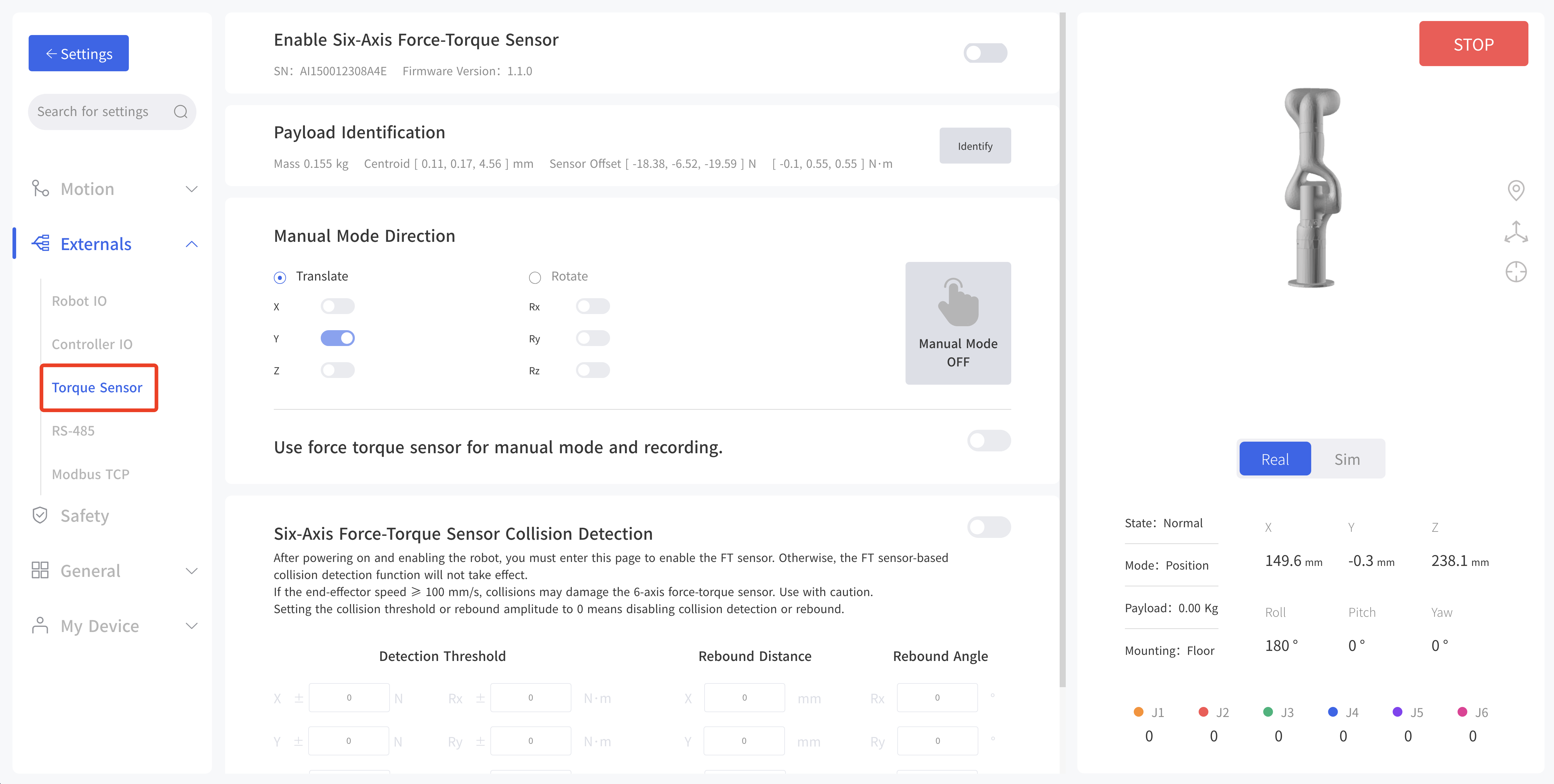
- Enable Six-Axis Force-Torque Sensor: Enable, obtain and display SN and Firmware Version.
- Payload Identification: During this process, the robotic arm will perform a series of actions, it will take around 5 minutes. It will get mass, centroid and sensor offset.
- Manual Mode Direction: The direction of translation or rotation can be selected. After activation, the torque manual mode will be enabled.
- Use force torque sensor for manual mode and recording
- Six-Axis Force-Torque Sensor Collision Detection: Set Detection Threshold, Rebound Distance, Rebound Angle.
3.1.2 Blockly
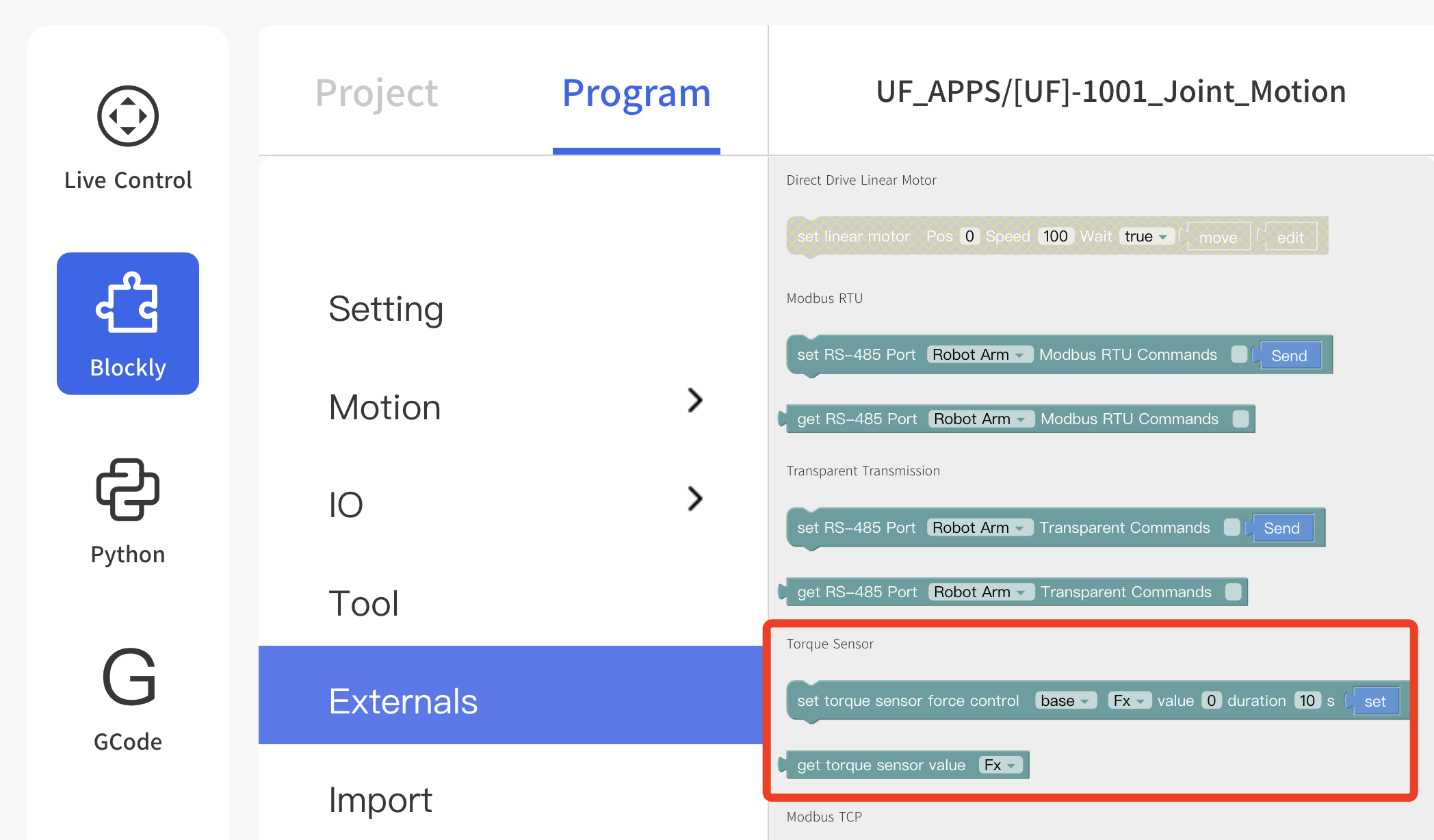
set torque sensor force control: Programmable parameters are as below. coordinate Frame: base, tool
direction: Fx, Fy, Fz, Tx, Ty, Tz
value: -105~105N(Fx,Fy,Fz); -2.8~2.8N(Tx,Ty,Tz)
duration: 0-9999sget torque sensor value: Programmable parameters are as below. direction: Fx, Fy, Fz, Tx, Ty, Tz
3.1.3 Data Observation
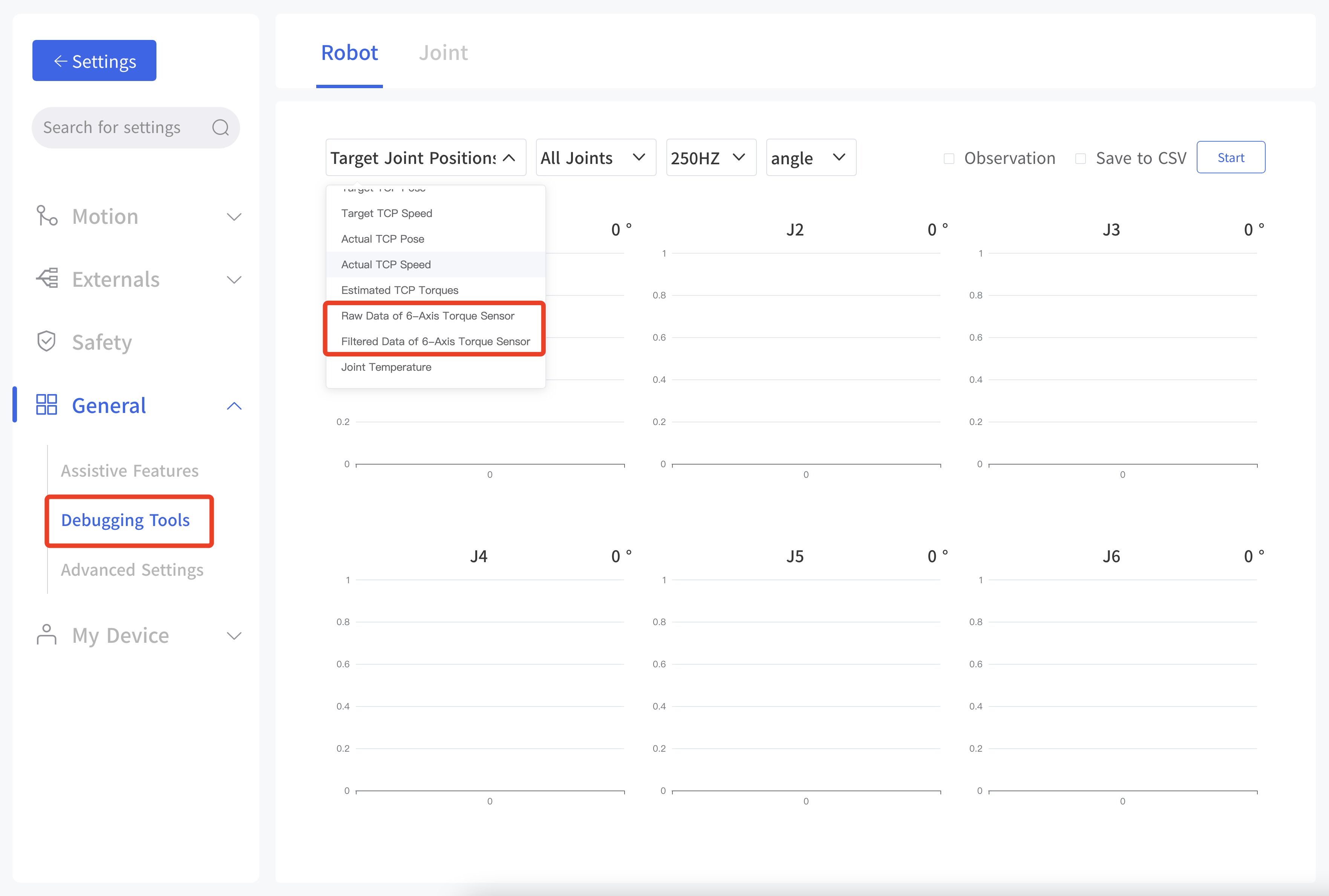
Enter Settings - General - Debugging Tools - Robot, check 'Observation' or 'save to CSV' box, click start, and obtain data via TCP port for plotting.
- Item: Raw Dat of 6-Axis Torque Sensor, Filtered Data of 6-Axis Torque Sensor.
- Joint: All joints, single joint
- Frequency: 200HZ, 5HZ
- Unit: angle, radian
3.2 Python SDK
For details on controlling 6 Axis Force Torque Sensor with python-SDK, please refer to the link below: https://github.com/xArm-Developer/xArm-Python-SDK/tree/master/example/wrapper/common
Refer to example 8000-8010.
Common Interface: ft_sensor_enable: Enable or disable the force torque sensor. iden_ft_sensor_load_offset: Identify the load of the force torque sensor. set_ft_sensor_load_offset: Set the load identification result as the zero point of the force torque sensor. set_ft_sensor_mode: Set the force control application type (0: non-force control, 1: admittance control, 2: force-position hybrid control). get_ft_sensor_data: Get the compensated and filtered force torque sensor data. set_ft_sensor_admittance_parameters: Set admittance control parameters (M, B, K), coordinate system and compliant axes. set_ft_collision_detection: Set collision detection based on the force torque sensor set_ft_collision_rebound: Set whether to rebound after a collision
3.3 C++ SDK
For details on controlling 6 Axis Force Torque Sensor with C++ SDK, please refer to the link below.
https://github.com/xArm-Developer/xArm-CPLUS-SDK/blob/master/example
Refer to example 8000-8010.