5. Errors and Handling
5.1 Error Codes
| Software Error Code | Alarm Code | Handling Instructions |
|---|---|---|
| G1 | 0x01 | Gripper G2 FOC operation timeout, please clear the error and try again. |
| G2 | 0x02 | Gripper G2 overvoltage. |
| G3 | 0x03 | Gripper G2 undervoltage. |
| G4 | 0x04 | Gripper G2 overheating. |
| G6 | 0x06 | Gripper G2 Gripper G2 speed feedback fault. |
| G7 | 0x07 | Gripper G2 Overcurrent. Please click "OK" to re-enable the gripper. |
| G8 | 0x08 | Gripper G2 MCSDK software error. |
| G9 | 0x09 | Gripper G2 driver protection. |
For alarm codes not listed above: Re-enable the robotic arm and gripper. Contact technical support if errors persist.
5.2 Error Handling
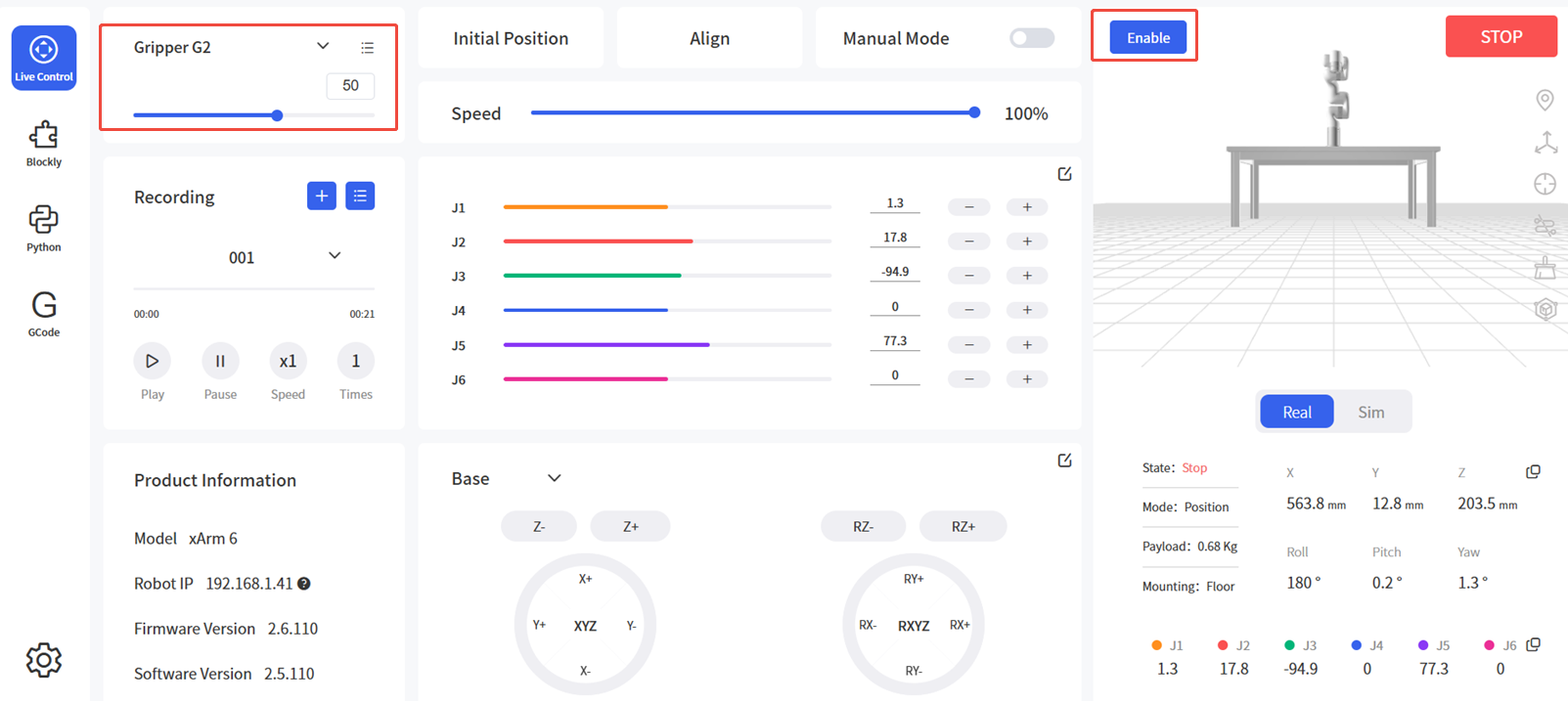
5.2.1 Clearing Errors via UFACTORY Studio
- Power cycle the robotic arm using the emergency stop button on controller.
- Enable the arm: Click the guide button in the error popup or the enable button on Live Control page.
- Select Gripper G2 and control.
5.2.2 Clearing Errors via xArm-Python-SDK
Clearing steps: (Python-SDK API)
- Power cycle robotic arm using emergency stop button
- Clear errors:
clean_error() - Re-enable arm:
motion_enable(enable=True) - Set motion mode:
set_mode(0) - Set motion state:
set_state(0) - Enable Gripper G2:
set_gripper_enable(enable=True)
Python example:
python
import os
import sys
import time

sys.path.append(os.path.join(os.path.dirname(__file__), '../../..'))

from xarm.wrapper import XArmAPI

arm = XArmAPI('192.168.1.68')
arm.clean_error() # Clear errors
arm.motion_enable(enable=True) # Re-enable robotic arm
arm.set_mode(0) # Set motion mode
arm.set_state(0) # Set motion state
arm.set_gripper_enable(True)  # Enable Gripper G2